

How to Register for Online Bill Pay

NBP Online Profile Instructions
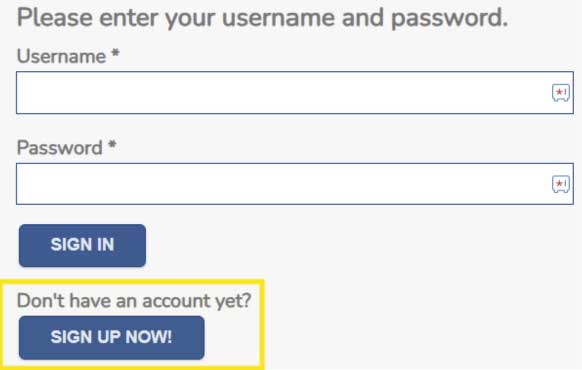
Step 1. Navigate to the payment portal: https://new.nexbillpay.net/beverlyvillageoh/billpay/signin
Step 2. To create a profile, click the “Sign Up Now” button.
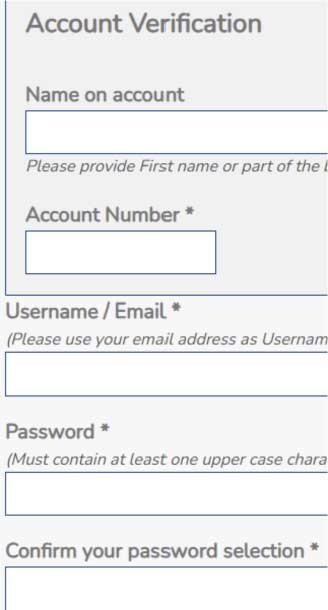
Step 3. Enter the name on the account, the account number, an email address, and a password then click “Create My Account”.
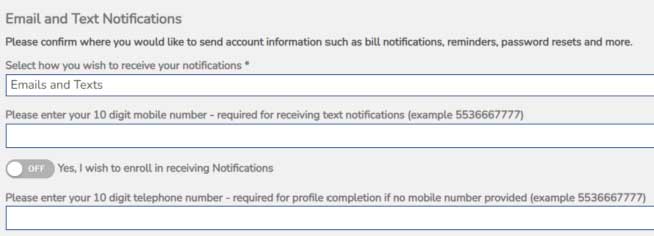
Step 4. Once you have created an account, it will take you to the profile tab. You will need to add your telephone number and decide if you would like to receive text and email notifications. You will also need to fill in the boxes under Personal Information and Service Address then click the “ Update My Profile” button.
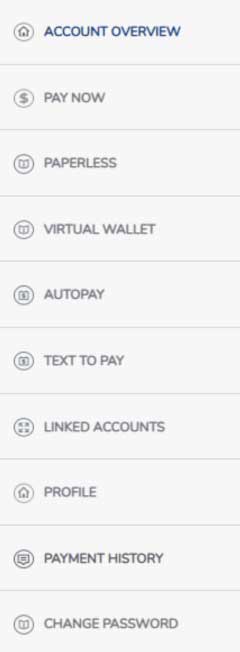
Step 5. Once you have set up your profile, you can access all of the tabs on the menu. The Account Overview tab gives you information on your current balance. The Pay Now tab is where you go to make your payment and the Virtual Wallet tab is where you can store one credit/debit card and one checking account. The Paperless, Autopay, Text To Pay, and Linked Accounts tabs are where you will go to enroll in each respective service.
Copyright 2018-2026. All rights reserved.
Village of Beverly | 919 Mitchell Ave., Beverly, OH 45715 | (740) 984-2694 | Mon-Thurs 8:30am-5:00pm